'%3e%3cpath%20d='M10%2020C15.5228%2020%2020%2015.5228%2020%2010C20%204.47715%2015.5228%200%2010%200C4.47715%200%200%204.47715%200%2010C0%2015.5228%204.47715%2020%2010%2020Z'%20fill='%23F0F0F0'/%3e%3cpath%20d='M19.378%2013.4785C19.78%2012.3951%2020%2011.2234%2020%2010.0002C20%208.77701%2019.78%207.60529%2019.378%206.52197H0.621992C0.220039%207.60529%200%208.77701%200%2010.0002C0%2011.2234%200.220039%2012.3951%200.621992%2013.4785L10%2014.348L19.378%2013.4785Z'%20fill='%230052B4'/%3e%3cpath%20d='M9.9991%2019.9998C14.2987%2019.9998%2017.9642%2017.286%2019.3771%2013.478H0.621094C2.03402%2017.286%205.69945%2019.9998%209.9991%2019.9998Z'%20fill='%23D80027'/%3e%3c/g%3e%3cdefs%3e%3cclipPath%20id='clip0_586_4336'%3e%3crect%20width='20'%20height='20'%20fill='white'/%3e%3c/clipPath%3e%3c/defs%3e%3c/svg%3e)
'%3e%3cpath%20d='M10%2020C15.5228%2020%2020%2015.5228%2020%2010C20%204.47715%2015.5228%200%2010%200C4.47715%200%200%204.47715%200%2010C0%2015.5228%204.47715%2020%2010%2020Z'%20fill='%23F0F0F0'/%3e%3cpath%20d='M9.56445%209.99982H19.9992C19.9992%209.09725%2019.8789%208.22287%2019.6547%207.39111H9.56445V9.99982Z'%20fill='%23D80027'/%3e%3cpath%20d='M9.56445%204.78254H18.5315C17.9193%203.78363%2017.1366%202.9007%2016.2241%202.17383H9.56445V4.78254Z'%20fill='%23D80027'/%3e%3cpath%20d='M9.99828%2020.0001C12.3518%2020.0001%2014.5149%2019.1866%2016.2231%2017.8262H3.77344C5.48164%2019.1866%207.6448%2020.0001%209.99828%2020.0001Z'%20fill='%23D80027'/%3e%3cpath%20d='M1.46699%2015.2171H18.5315C19.023%2014.4152%2019.4041%2013.5386%2019.6548%2012.6084H0.34375C0.594414%2013.5386%200.975547%2014.4152%201.46699%2015.2171Z'%20fill='%23D80027'/%3e%3cpath%20d='M4.63219%201.56164H5.54348L4.69582%202.17746L5.01961%203.17391L4.17199%202.55809L3.32437%203.17391L3.60406%202.31309C2.85773%202.93477%202.20359%203.66313%201.66453%204.47469H1.95652L1.41695%204.86668C1.33289%205.00691%201.25227%205.14937%201.175%205.29395L1.43266%206.08695L0.951953%205.7377C0.832461%205.99086%200.723164%206.24973%200.624922%206.51398L0.908789%207.38773H1.95652L1.10887%208.00356L1.43266%209L0.585039%208.38418L0.0773047%208.75309C0.0264844%209.1616%200%209.57769%200%2010H10C10%204.47719%2010%203.82609%2010%200C8.02453%200%206.18301%200.573047%204.63219%201.56164ZM5.01961%209L4.17199%208.38418L3.32437%209L3.64816%208.00356L2.80051%207.38773H3.84824L4.17199%206.39129L4.49574%207.38773H5.54348L4.69582%208.00356L5.01961%209ZM4.69582%205.09051L5.01961%206.08695L4.17199%205.47113L3.32437%206.08695L3.64816%205.09051L2.80051%204.47469H3.84824L4.17199%203.47824L4.49574%204.47469H5.54348L4.69582%205.09051ZM8.60656%209L7.75895%208.38418L6.91133%209L7.23512%208.00356L6.38746%207.38773H7.4352L7.75895%206.39129L8.0827%207.38773H9.13043L8.28277%208.00356L8.60656%209ZM8.28277%205.09051L8.60656%206.08695L7.75895%205.47113L6.91133%206.08695L7.23512%205.09051L6.38746%204.47469H7.4352L7.75895%203.47824L8.0827%204.47469H9.13043L8.28277%205.09051ZM8.28277%202.17746L8.60656%203.17391L7.75895%202.55809L6.91133%203.17391L7.23512%202.17746L6.38746%201.56164H7.4352L7.75895%200.565195L8.0827%201.56164H9.13043L8.28277%202.17746Z'%20fill='%230052B4'/%3e%3c/g%3e%3cdefs%3e%3cclipPath%20id='clip0_1008_13251'%3e%3crect%20width='20'%20height='20'%20fill='white'/%3e%3c/clipPath%3e%3c/defs%3e%3c/svg%3e)
'%3e%3cpath%20d='M10%2020C15.5228%2020%2020%2015.5228%2020%2010C20%204.47715%2015.5228%200%2010%200C4.47715%200%200%204.47715%200%2010C0%2015.5228%204.47715%2020%2010%2020Z'%20fill='%23F0F0F0'/%3e%3cpath%20d='M0.34375%2012.6089C1.26711%2016.0348%203.96465%2018.7324%207.39059%2019.6557V12.6089H0.34375Z'%20fill='%23D80027'/%3e%3cpath%20d='M7.39055%200.344727C3.96465%201.26805%201.26707%203.96562%200.34375%207.39152H7.39059V0.344727H7.39055Z'%20fill='%230052B4'/%3e%3cpath%20d='M19.6562%207.39152C18.7329%203.96562%2016.0353%201.26805%2012.6094%200.344727V7.39156H19.6562V7.39152Z'%20fill='%23D80027'/%3e%3cpath%20d='M12.6094%2019.6557C16.0353%2018.7324%2018.7329%2016.0348%2019.6562%2012.6089H12.6094V19.6557Z'%20fill='%230052B4'/%3e%3cpath%20d='M12.608%209.99982C12.608%2011.4406%2011.4401%2012.6085%209.99934%2012.6085C8.55859%2012.6085%207.39062%2011.4406%207.39062%209.99982C7.39062%208.55904%209.99934%207.39111%209.99934%207.39111C9.99934%207.39111%2012.608%208.55904%2012.608%209.99982Z'%20fill='%23496E2D'/%3e%3cpath%20d='M7.39062%209.99982C7.39062%208.55904%208.55859%207.39111%209.99934%207.39111C11.4401%207.39111%2012.608%208.55904%2012.608%209.99982'%20fill='%230052B4'/%3e%3cpath%20d='M8.5332%208.6958V10.3262C8.5332%2011.1367%209.19016%2011.7936%2010.0006%2011.7936C10.811%2011.7936%2011.468%2011.1367%2011.468%2010.3262V8.6958H8.5332Z'%20fill='%23D80027'/%3e%3c/g%3e%3cdefs%3e%3cclipPath%20id='clip0_1008_13324'%3e%3crect%20width='20'%20height='20'%20fill='white'/%3e%3c/clipPath%3e%3c/defs%3e%3c/svg%3e)


How to work in Wazzup partner account
This guide explains how to work in the Wazzup partner account. It will be most useful for official and technical Wazzup Label partners.
A White Label technical partner primarily works with clients via API, so some features in the partner account may not be needed.
If you're not yet familiar with our partnership program, check out these pages:
- What to start with
- How to register a new client
- How to create a referral link so that the client registers themselves
- How to set everything up for the client
- How to replenish the account
- How to create a subscription for a client
- How to get money from an account
- How to sort clients in the table
- How to use free channels
- How can you find out how many more clients to connect to get 50%
What to start with
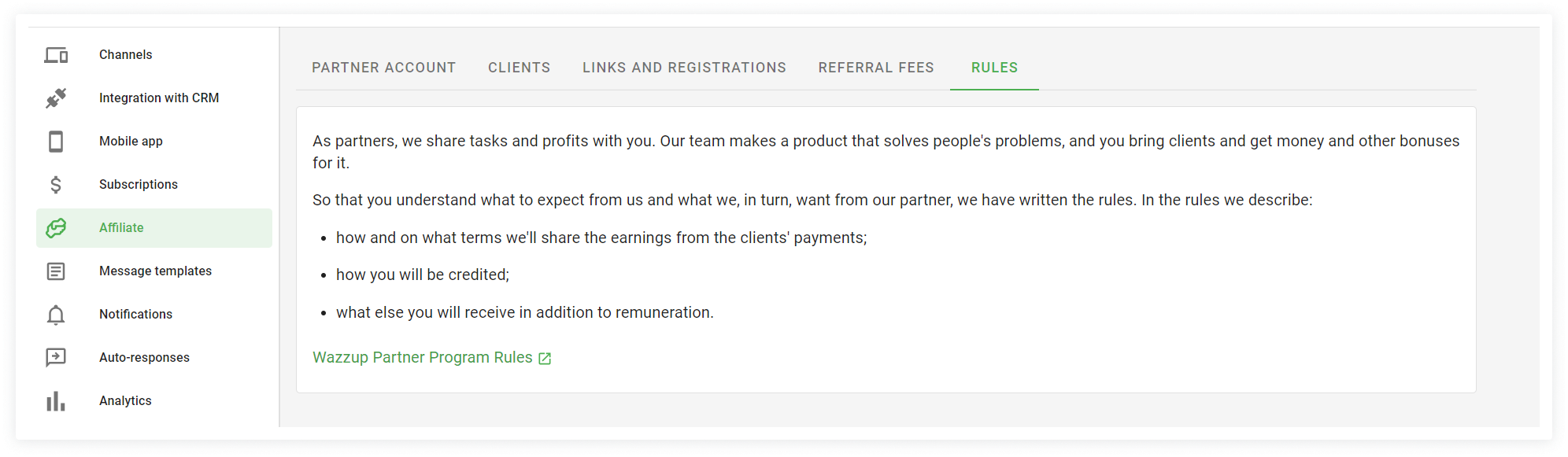
The first thing we advise you to do in your personal account is to read the affiliate rules. They are, all of a sudden, in the "Rules" tab.
There you will learn how your reward will grow, where to get help, how you can influence the development of the product and our expectations from partners.
How to register a new client
For Official Partners
You can register a client manually from your Partner Account. Here's how:
1. Go to the Clients tab and click Add client.
2. Enter the client's email address – this is where their login password will be sent.
Then, enter a name for the client. This name is visible only to you and helps you quickly find them in your account.
Click Add.
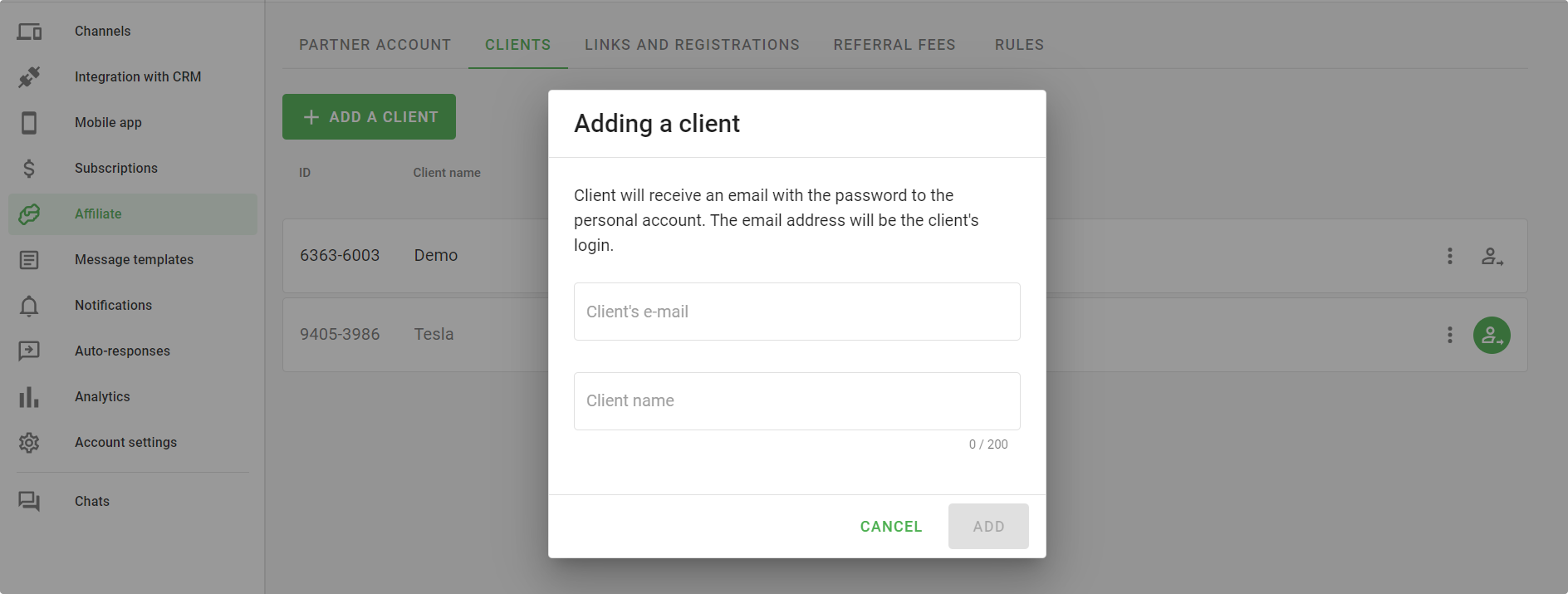
Once added, the client will receive €10 or $10 to their bonus account, depending on their currency.
If your client is already registered in Wazzup, you won't be able to add him through your account. Just contact support and they will add him to your account.
For Wazzup Label Technical Partners
Create a referral link using the instructions below.
For White Label Technical Partners
You cannot register a client through the partner account. Use the API methods for registration.
How to create a referral link so that the client registers themselves
You can create links in the "Links and registrations" tab.
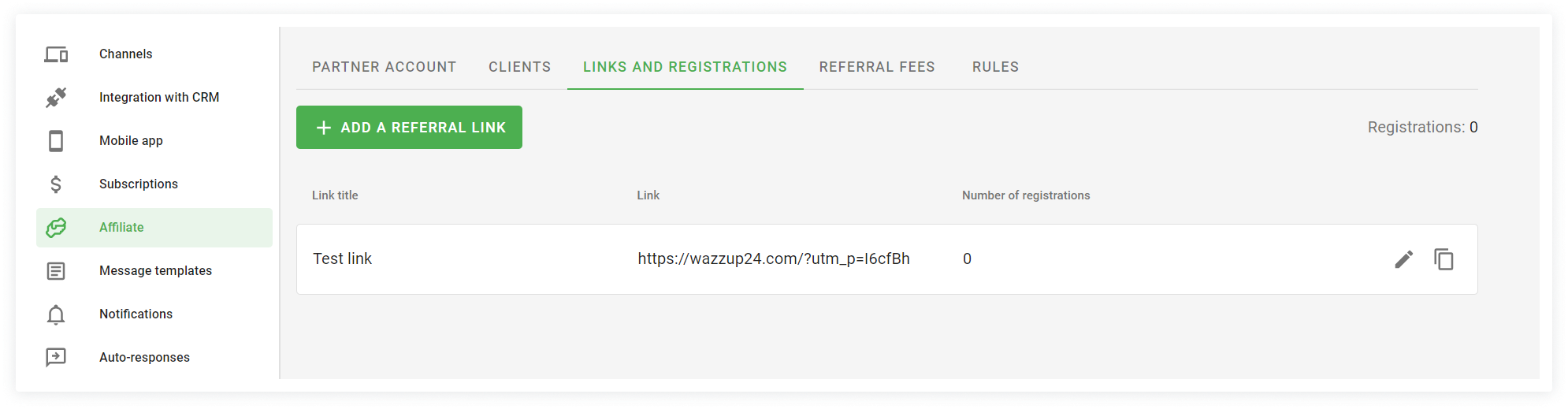
Official Partners and Wazzup Label Technical Partners can create links and track registrations in the "Links and Registrations" tab.
Your referral will receive 10 euros or 10 dollars to his bonus account for registering with the link. Currency is determined during registration.
Rewards are automatically credited to the partner account on the 1st of each month. We do not pay for impressions or leads. Only clients who have paid for the service are counted.
The reward percentage and payment terms are specified in the partnership rules.
How to set everything up for the client
For Official Partners
You can manage your client settings directly from your account. Click this icon next to the client's account.
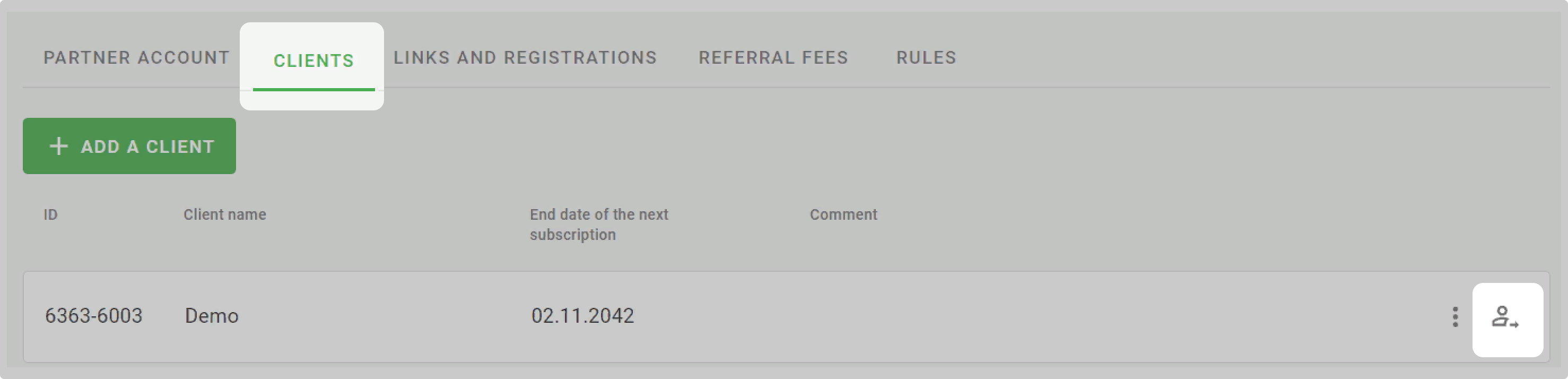
A new tab will open the client's personal account - you have access to all settings, payments and data.
For Wazzup Label Technical Partners
A client of a technical partner creates an account via a referral link and sets up the service themselves. But if you're helping a client or handling the entire setup, the instructions are the same as for Official Partners.
For White Label Technical Partners
You cannot set up the client's service through the partner account. Use API methods.
How to replenish the account
This is useful for partners who pay for client subscriptions or for themselves: Official Partners and some Wazzup Label Technical Partners. We also credit rewards from client self-payments to this account.
To add money to your account:
1. In the "Partner account" tab click the "Refill" button.
2. Enter the amount you want to add to your account. If you are depositing money, which you received from the client, you can keep the reward amount, and put the remainder on the account.
3. Choose method of payment: by bank card or by bank transfer → click "Refill".
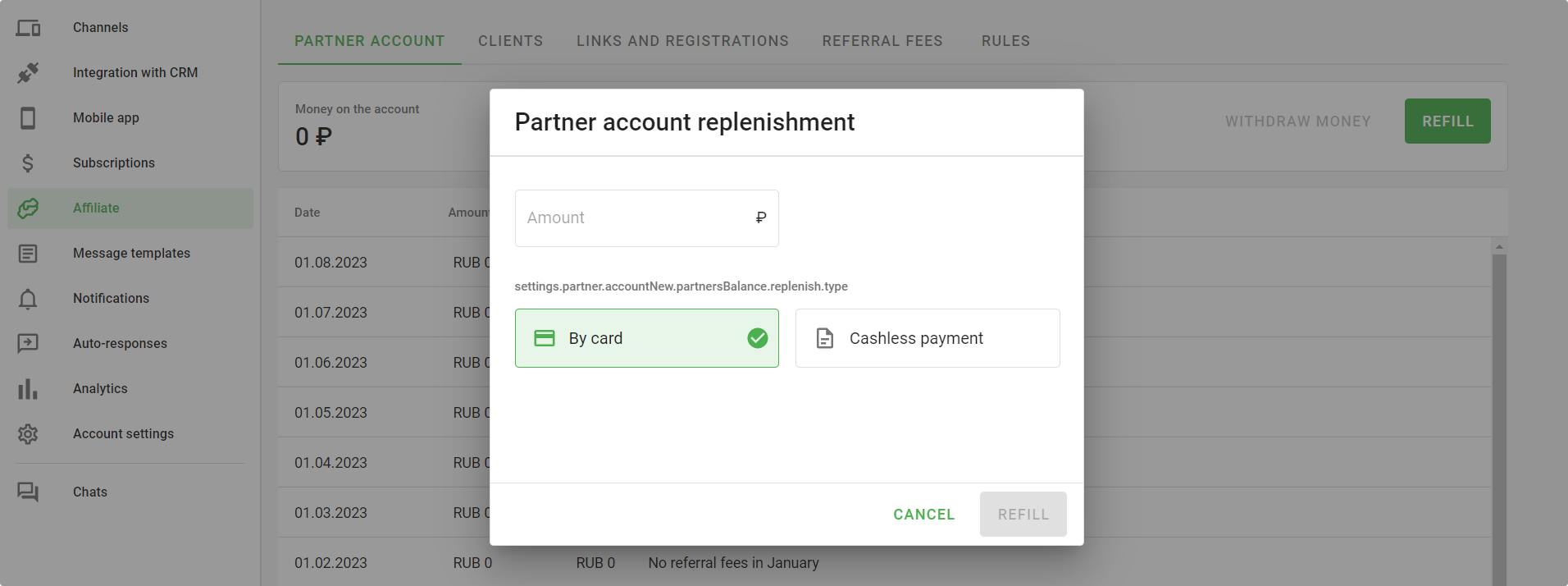
How to create a subscription for a client
This information is useful for Official Partners and Wazzup Label Technical Partners who help clients with setup.
1. Go to the client's account. To do this, click this icon next to the client account.
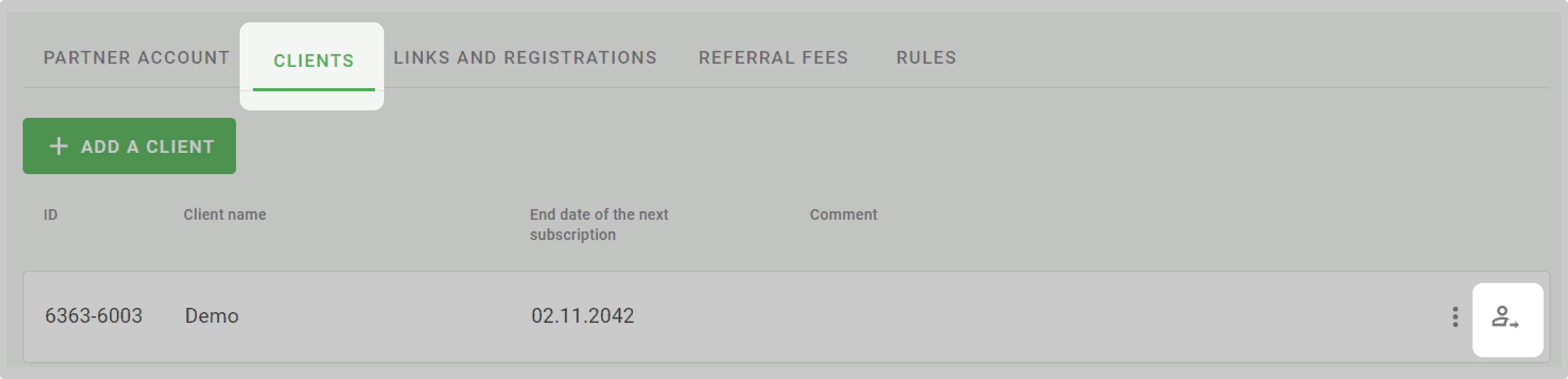
2. Go to the "Subscriptions" section.
3. Click "Add Subscription".
4. Select the subscription options and click "Continue".
5. Pay for the subscription from your affiliate account.
Done — you have created a subscription for a customer.
How to get money from an account
This information is useful for Official Partners and Wazzup Label Technical Partners.
In the Referral payments tab, at the top right corner — your earnings. We calculate it using a simple formula: payment × your commission rate. Everything is fair, transparent, and always within reach.
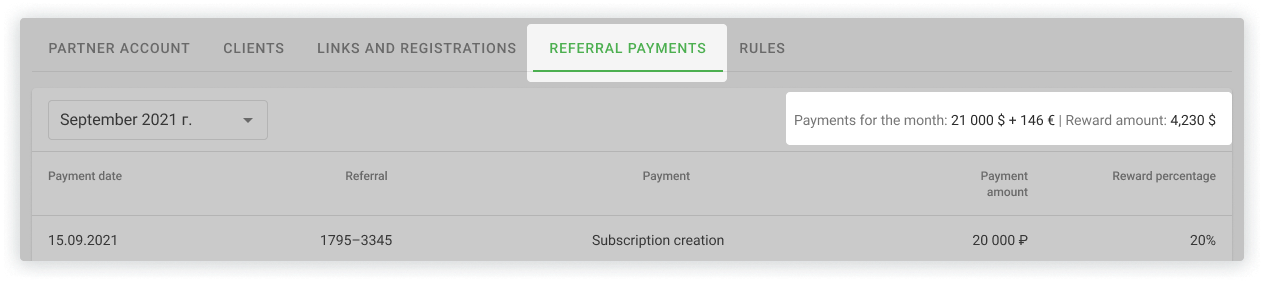
We send rewards by invoice without a fee if you are an IE or LLC. Bill us and we will pay within three days.
To get help with filling out an invoice, message us on WhatsApp or Telegram.
Note for Official Partners: instead of withdrawing rewards from the referral program, you may use it to pay for discounted subscriptions. When you receive the money to renew the service, you can keep part of the amount, taking into account how much you have already paid for subscriptions.
How to sort clients in the table
This information is useful for Official Partners and Wazzup Label Technical Partners who help clients with setup.
In the client table, you can quickly find the right record — sort, filter by status, or use search. Easy as that.
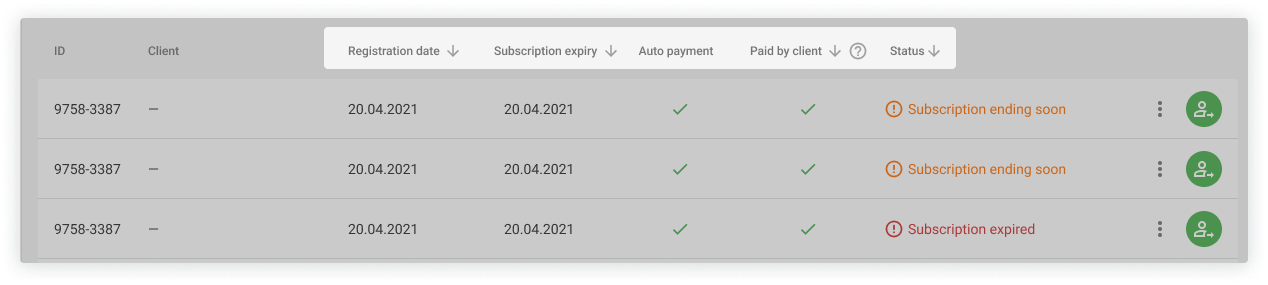
You can sort clients by the following columns:
- Registration date
- Subscription end date
- Autopayment
- Paid by client
Next to each column name, you'll see an arrow. Click on it to sort values in ascending or descending order.
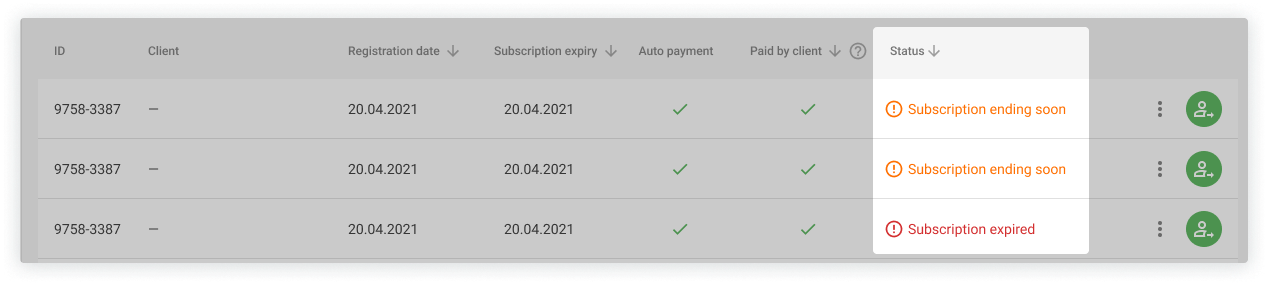
The table has a Status column that shows current issues with the client's subscription or channels. You can filter clients by these statuses to find what you need faster.
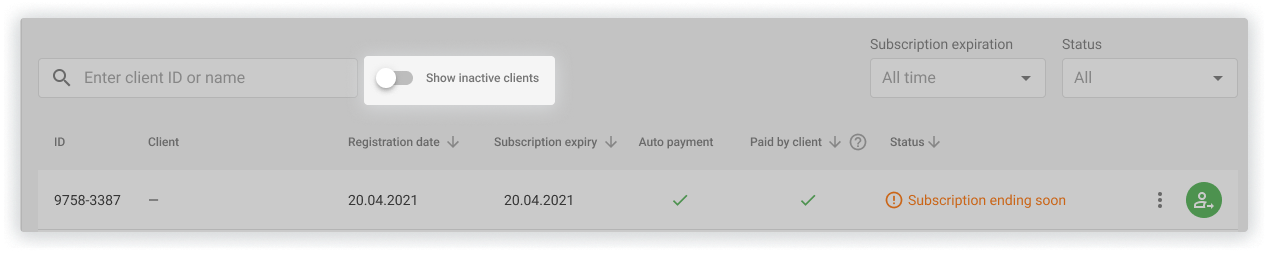
By default, inactive clients are hidden in the table.
To view them, enable the "Show inactive clients" toggle in the top right corner of the table.
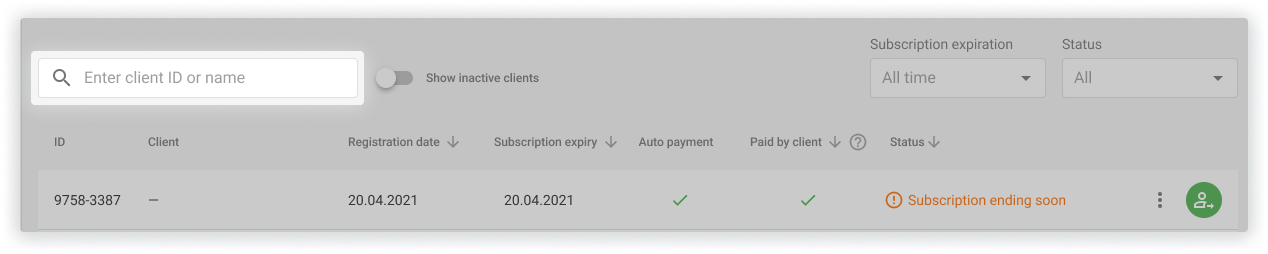
Use the search bar to find a client by ID or name. Search works across the whole table.
How to use free channels
After joining the partnership program, a "Demo account" line will appear in the "Clients" tab. It includes free subscriptions on the Max plan. Use them to demonstrate all the benefits of Wazzup to potential clients.
These free subscriptions will also appear in your main account. You can use them for your own commercial purposes.
If you need more channels on any account, they will cost less than the regular price. Purchases are subject to a discount equal to your reward percentage.
How can you find out how many more clients to connect to get 50%
This information is only useful for Official Partners.
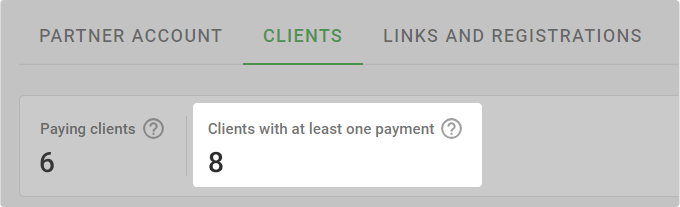
In the "Clients" tab we show how many of your clients have paid for the service at least once, either on their own or through you. If there are 10 such clients, we increase up to 50% rewards from payments made in your account.